
Your AI for finance, in your pocket
Neurobro Mobile is a personal AI for the markets, on iOS and Android. Ask it anything - crypto, stocks, forex, commodities, or prediction markets - and get a clear, well-researched answer in seconds. Follow a news feed tuned to what you care about, track everything you own, and trade from a wallet only you control. It’s the same Neurobro on web and mobile - the same AI agent and the same NeuroWallet, tied to one account. Sign in once with your Neurobro Pass and your chats, portfolio, and wallet follow you everywhere - across Neurobro Web, iOS, and Android. Start on your phone and pick up on the web, or the other way around.The four tabs
Everything in the app lives in one of four places.Chat
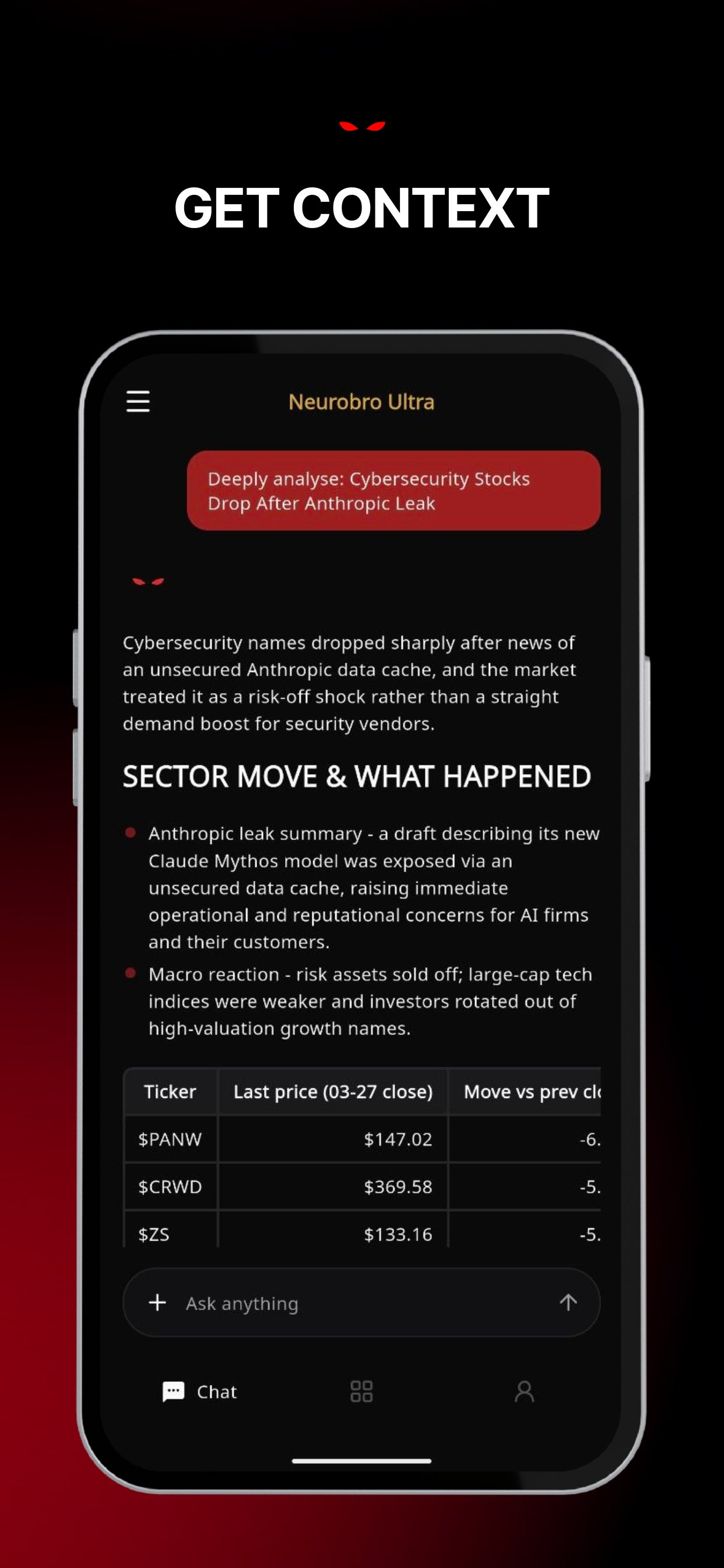
The agent. Ask about any market and get a researched answer rather than a search result.- Fast answers. The app answers in Light mode, a quick single pass. For Heavy, the deep multi-agent research, open the same chat on Neurobro Web. See Usage & limits.
- Bring your own material. Attach PDFs and text files, up to eight at a time, or upload an image of a chart to have it read.
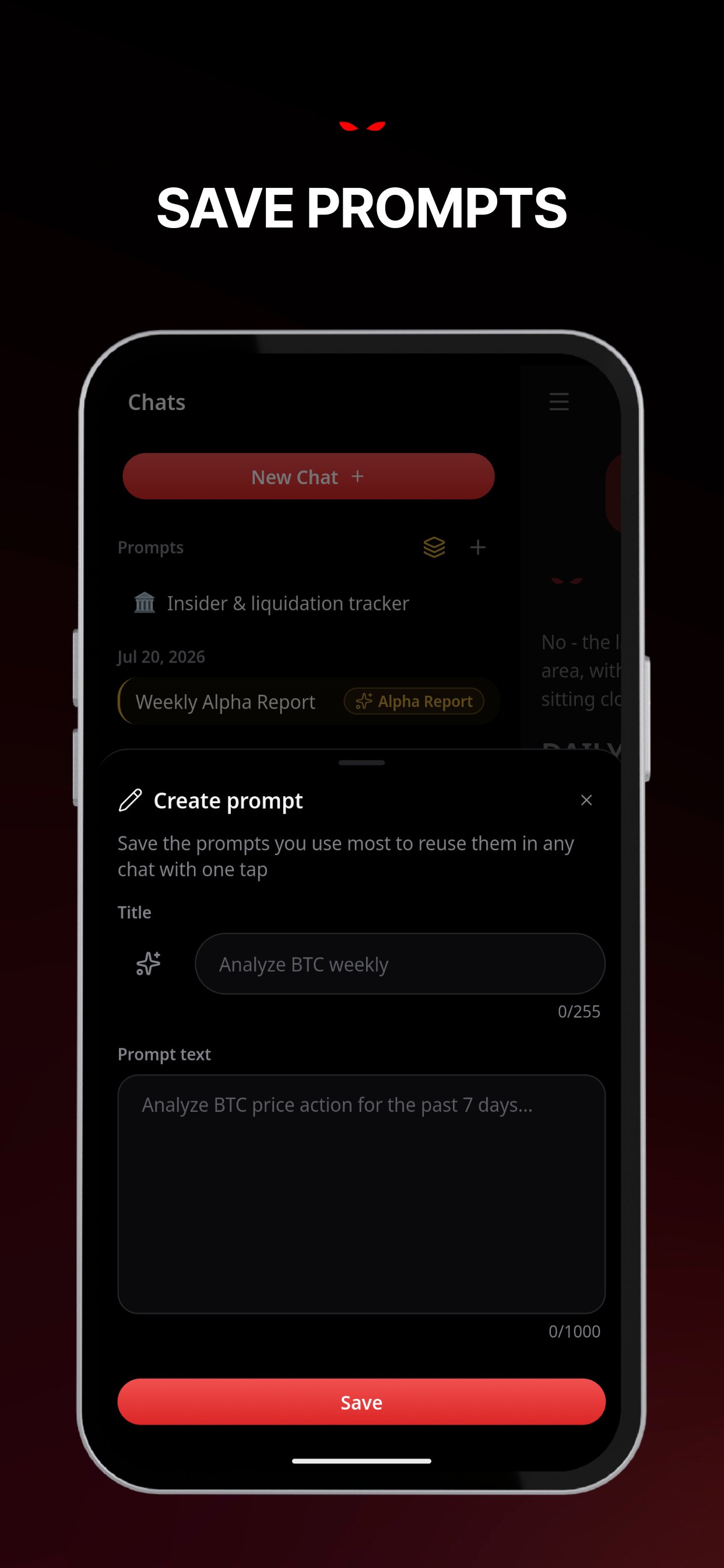
- Prompt templates. Curated starting points for common jobs - meme-coin radar, Solana setups, Bitcoin sentiment - and you can save your own.
- It remembers. Neurobro carries your preferences and context between conversations.
- Trading setups. Ask for a setup and get entry, exit, stop-loss, take-profit and risk-to-reward, switchable between Conservative, Moderate and Aggressive risk profiles.
- Organize and share. Sort conversations into folders, and share any conversation with a link.
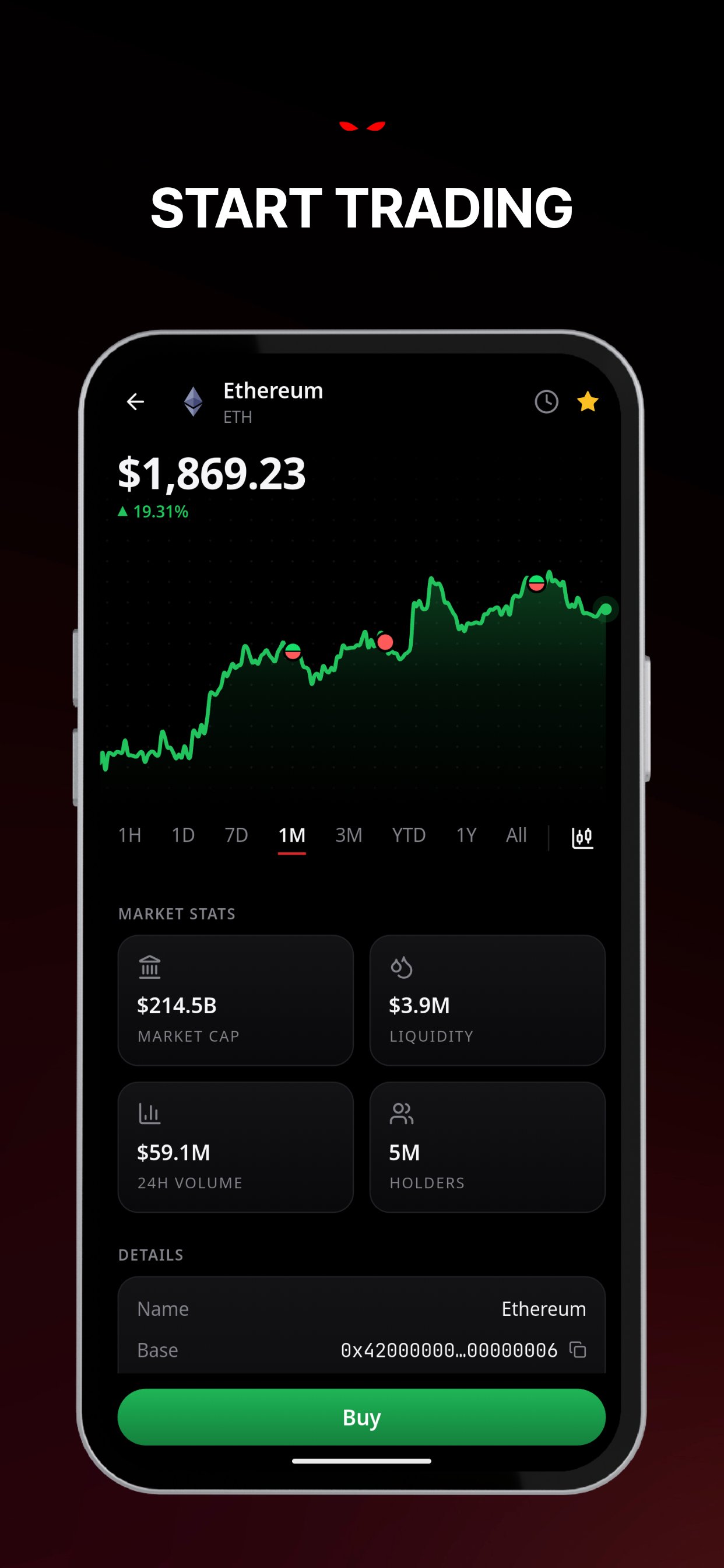
- Buy from the answer. When Neurobro analyzes a token, there’s a Buy button on the card.
Feed
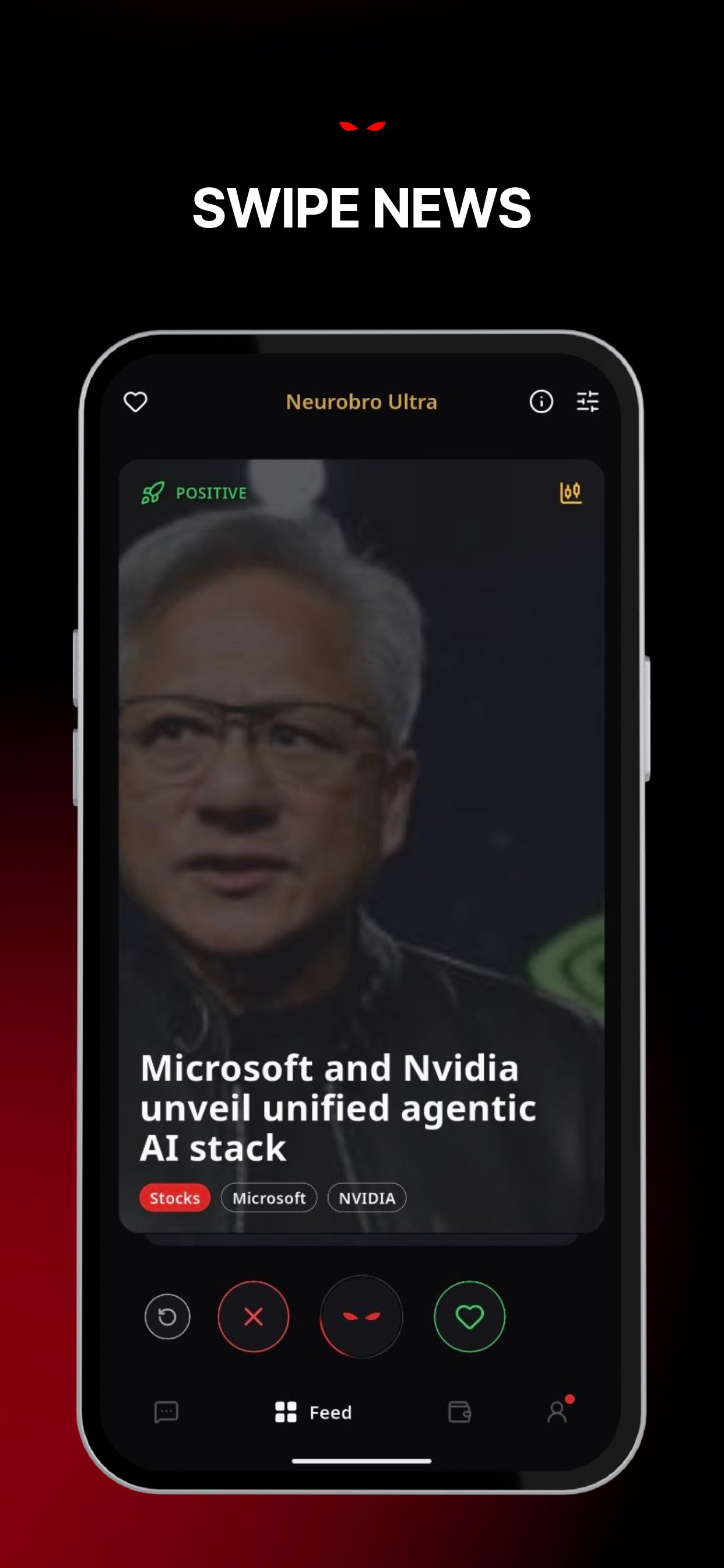
A news feed that learns what you care about, as a stack of swipeable cards. Swipe to like or dismiss a story, swipe up to chat about it, and rewind if you dismissed something by mistake. What you engage with shapes what comes next - the feed weights toward the assets, themes and sources you actually read, and away from the ones you skip. It also tracks what you hold. The more you use Neurobro, the more the feed leans toward your own positions and watchlist. Stories cover crypto, equities, macro and more, and read fully in your language.Portfolio
One tab, two halves. The tab name changes to tell you which you’re in.NeuroWallet
Money you hold yourself and trade from.
Connections
Read-only view of what you hold elsewhere.
Connect an exchange
Connect an exchange
50 exchanges are supported - Binance, Coinbase, Kraken, Bybit, OKX, KuCoin, Bitget, MEXC, Gate, HTX, Crypto.com, Gemini, Bitstamp, Bitfinex, Upbit, Bithumb, bitFlyer, Bitvavo, Luno, Indodax, Tokocrypto and more, including regional venues across Japan, Korea, Brazil, Mexico, Turkey, India, Israel and Australia. The picker shows what’s available where you are, and a guided walkthrough covers each venue step by step.
Watch a wallet address
Watch a wallet address
Add any public address and its holdings appear. No key, no signature, no permission - a public address is public information.
Start fresh with a partner
Start fresh with a partner
No account yet? The connect flow has a second tab of partners you can sign up with, including eToro for stocks and XM for forex. These are affiliate partnerships - see the Affiliate Disclosure.
Profile
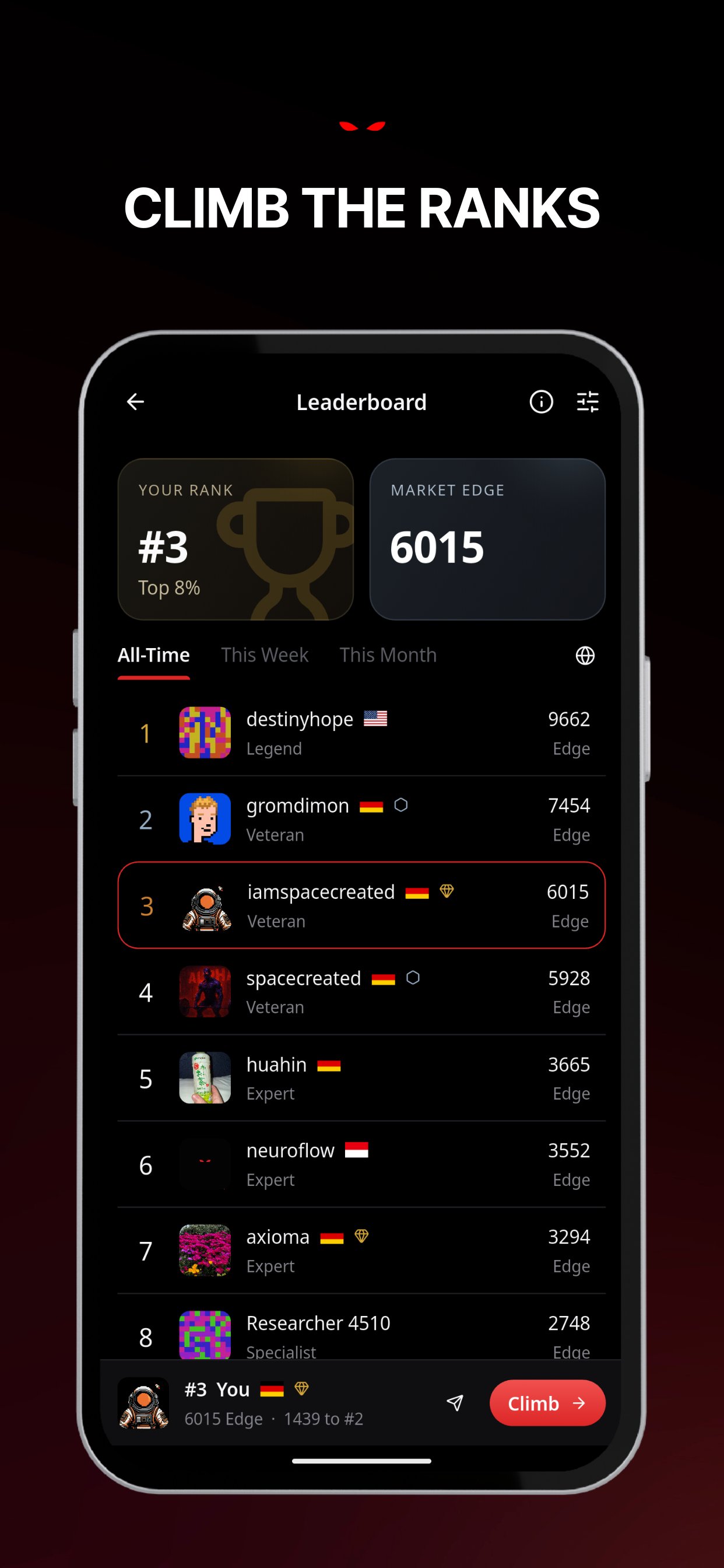
Your account, your progress, and your settings. Rewards. Using Neurobro earns XP, and XP earns levels.- Market Rank is your level, from 1 upward, earned by researching, swiping, predicting and chatting.
- Market Edge is your standing on the leaderboard, combining what you’ve earned through activity with your subscription.
- Badges unlock as you hit milestones.
- Leaderboards run globally and by country, and you can share a rank card.
A look inside
Get the app
App Store
Download for iOS
Google Play
Download for Android
Web
Open in your browser
Languages
Neurobro Mobile is available in 14 languages: English, German, Spanish, French, Portuguese, Russian, Chinese, Japanese, Korean, Arabic, Indonesian, Malay, Thai and Vietnamese. News, prompts, alerts and error messages are all translated, not just the interface.Where it’s available
Neurobro is available globally, apart from sanctioned jurisdictions. Some features are narrower - perpetual futures and tokenized stocks aren’t offered in the United States or United Kingdom, and card funding and cash-out depend on your country. The app only shows what you can actually use, so if something isn’t there, it isn’t available in your region yet.Plans & access
The core app is free for everyone; Pro and Ultra add more. See Plans & pricing for tiers and pricing, Usage & limits for message limits, and Trading fees for what a trade costs.Resources
Changelog
What’s new in Neurobro
Neurobro Web
Explore the web app
Need help getting started? Check our FAQ or join the Community Hub.